Best Baby Monitor 2026: 8 Top Picks for Peace of Mind
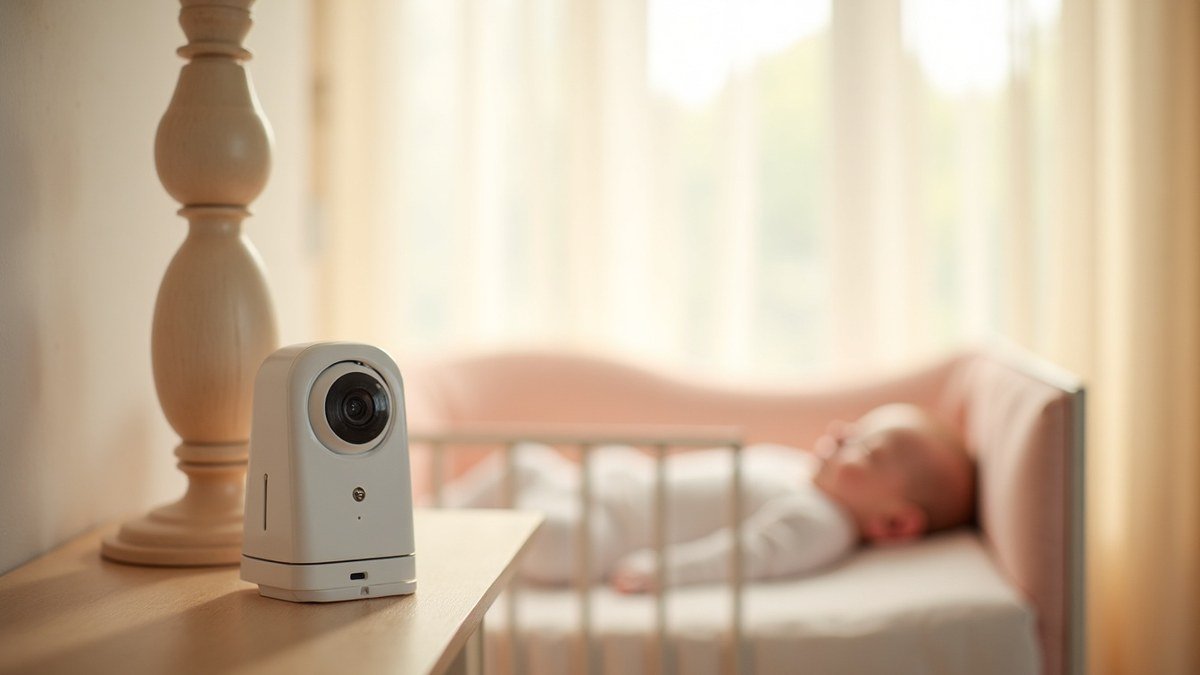
A good monitor fades into the background of your day, which is exactly the point.
The first night home with my daughter, I parked myself on the floor next to her bassinet and watched her chest rise and fall until the sun came up. I was exhausted, a little weepy, and absolutely certain that if I looked away she would stop breathing. A baby monitor did not magically cure that fear. What it did was give me permission to leave the room, eat a real meal, and sleep in my own bed while still feeling connected to her. That is the honest job of a good monitor. It does not parent for you, but it does hand you back small pieces of your life.
I have now picked monitors for three babies, helped friends choose theirs, and spent more hours than I care to admit comparing night vision and battery life. In this guide I will walk you through the eight monitors I would actually recommend in 2026, what separates a great one from a frustrating one, and the safety basics that matter far more than any feature list. We will get to a clear top pick, a budget pick, and a premium pick, so you can stop scrolling and get back to your baby.
Safety first: what a baby monitor can and cannot do
Let me start with the part most product roundups skip, because it is the part I care about most. A baby monitor is a convenience and a comfort device. It is not a medical device, and no monitor on the market has been proven to prevent Sudden Infant Death Syndrome. The American Academy of Pediatrics is clear on this, and I want you to hear it from me too so you buy from a place of calm instead of panic.
The single most important things you can do for safe sleep cost nothing. Place your baby on their back, on a firm flat surface, with no loose blankets, bumpers, or stuffed animals. For the official rundown, the AAP keeps an excellent plain-language guide to safe infant sleep on HealthyChildren.org that I send to every new parent in my life.
So where does a monitor fit? It lets you hear or see your baby from another room so you can respond quickly. That is genuinely valuable, especially in those early weeks. Just buy it as a helper, not as a safety guarantee, and you will choose far more sensibly.
A word on cords and placement
Whatever monitor you choose, the camera cord is a real strangulation hazard. Mount the camera at least three feet from the crib and run the cord well out of reach. I tucked mine behind a heavy dresser and zip-tied the slack. It takes ten minutes and it is the most important setup step there is.
How I tested and what actually matters
I am not a lab. I am a mom who has lived with these things through teething, travel, power outages, and the dreaded 4 a.m. feed. When I judge a monitor, I am thinking about the moments that actually wear you down. How fast does it connect when you are half asleep? Is the night vision clear enough to tell whether those are open eyes or just shadows? Does the sound cut out at the worst possible time?
Here are the features I weigh most heavily, roughly in order. Reliability comes first, because a monitor that drops signal is worse than no monitor at all. Range and connection type matter next, since a dedicated radio signal behaves very differently from a Wi-Fi camera. Then I look at night vision and audio clarity, battery life on the parent unit, ease of setup, and finally the extras like temperature readouts, lullabies, and two-way talk.
Audio, video, or Wi-Fi: which type suits you?
There are three broad families. Audio-only monitors are simple, cheap, and rock solid, and plenty of parents are perfectly happy with one. Dedicated video monitors use their own private signal and a handheld screen, so there is no app, no account, and a smaller chance of getting hacked. Wi-Fi or smart monitors stream to your phone, travel well, and offer the fanciest features, but they depend on your home network and your comfort with apps.
There is no universally correct answer. A parent in a small apartment who hates apps will love a simple audio unit. A traveling family that wants to peek from the office will want Wi-Fi. I will flag who each pick suits so you can match it to your real life, not to a marketing page.
The 8 best baby monitors of 2026 at a glance
Here is the quick comparison. I have kept the price ranges broad because sales swing wildly, especially around the holidays. Tap any row to see the full write-up below.
| Monitor | Best for | Key feature | Price range |
|---|---|---|---|
| Top pick Nanit Pro Camera | Overall peace of mind | Crisp overhead HD with breathing tracking band | $$$ |
| Infant Optics DXR-8 Pro | App-free video | Interchangeable lens, private signal | $$ |
| Eufy SpaceView Pro | Long battery life | Up to 12 hours, no Wi-Fi needed | $$ |
| Owlet Dream Duo 2 | Worried first-timers | Sock plus camera, heart-rate and oxygen trends | $$$$ |
| VTech RM5764 | Smart features on a budget | 1080p, app and dedicated screen | $$ |
| Budget pick VTech DM221 Audio | Simple and reliable | Clear audio, long range, no screen | $ |
| Google Nest Cam (indoor) | Tech-friendly homes | Doubles as a home camera later | $$$ |
| Premium pick Miku Pro | Top-tier video and sensors | Contact-free breathing, no subscription | $$$$ |
Price key: $ under $60, $$ $60 to $160, $$$ $160 to $300, $$$$ $300 and up. Always check the live price before buying.
1. Nanit Pro Camera, my overall top pick
If you want one recommendation and you are done deliberating, this is it. The Nanit mounts overhead and gives you a clean, wide view of the whole crib, which sounds minor until you have squinted at a side-angle camera trying to figure out if your baby rolled. The picture is genuinely sharp, the night vision is among the best I have used, and the app has been stable for me even on mediocre hotel Wi-Fi.
What pushes it to the top is the optional breathing-motion band that tracks your baby's breathing through a patterned swaddle or band, with no wires or sensors touching the skin. I want to be careful here, because this is a wellness feature, not a medical alarm, and it will not prevent SIDS. But for the kind of anxiety I described at the start of this article, seeing that gentle motion graph helped me put the phone down and sleep. If you tend to spiral at night, that reassurance is worth a lot.
The honest downsides: it leans on Wi-Fi and an app, the nicest insights sit behind a subscription, and it is not cheap. If those things do not bother you, you will love it. You can check the current price on Amazon and see whether a bundle is running.
2. Infant Optics DXR-8 Pro, best app-free video
This is the monitor I hand to friends who say, very firmly, that they do not want their baby on the internet. The DXR-8 Pro uses its own private signal and a dedicated handheld screen, so there is no app, no account, and no network to worry about. It has been a parent favorite for years, and the Pro version finally sharpened the image and added a useful zoom lens you can swap on.
In daily use it just works. Connection is instant, the range covered my whole two-story house, and the battery on the parent unit easily lasts a night. The screen is not as crisp as a phone, and you do give up remote viewing when you are away from home. For a lot of families, that tradeoff is the entire appeal. Simpler, more private, and one less app to manage.
3. Eufy SpaceView Pro, best battery life
Battery anxiety is real when you are pacing the hallway at 3 a.m., and the Eufy SpaceView Pro is the one I reach for when long unplugged time matters. In my experience it comfortably ran around ten to twelve hours on a charge in power-saving mode, which means you are not tethered to an outlet all evening. Like the Infant Optics, it runs on a private signal with a dedicated screen, so there is no Wi-Fi dependency.
The picture is bright and the pan-tilt-zoom is smooth enough to scan a busy crib. It is a strong middle-ground choice: more modern than a basic audio unit, more private and self-contained than a smart camera. If you camp, travel to spotty-signal cabins, or simply hate charging things, put this one high on your list.
Sarah's tip: Whatever you buy, set it up a week before your due date or before baby moves to their own room. Fumbling with firmware updates while holding a screaming newborn is a special kind of misery I would love to spare you.
4. Owlet Dream Duo 2, best for worried first-timers
I have a soft spot for this one because it speaks directly to first-time-parent fear. The Dream Duo pairs a video camera with a smart sock that reads your baby's heart rate and oxygen trends and sends them to your phone. For parents who are losing sleep to anxiety, that data can be genuinely calming.
Here is my balanced take, because this category gets hyped. These wellness socks are not FDA-cleared medical monitors in the way a hospital pulse oximeter is, and they can produce false alarms that send you into a panic over nothing. The AAP has cautioned that consumer vitals monitors have not been shown to prevent SIDS, and I do not want you trading one form of worry for another. That said, used with clear expectations, plenty of parents find the sock reassuring rather than stressful. Just promise me you will still follow safe-sleep basics and call your pediatrician, not the app, with real concerns.
5. VTech RM5764, best smart features on a budget
This is the value-packed overachiever. You get a sharp 1080p camera, a dedicated parent screen, and a companion app, which is unusual at this price. So you can use the handheld unit at home for reliability and still peek from your phone when you slip out for groceries. That flexibility is lovely for a growing family that is not sure which style it prefers yet.
The pan and tilt are responsive, the night vision is solid, and the temperature sensor is a nice touch for nursery comfort. It is not as polished as the premium cameras, and the app is fine rather than wonderful. But for the money, getting both a screen and an app in one box is a genuinely smart buy. You can compare current pricing on Amazon to see how it stacks up against the splurge options.
6. VTech DM221, my budget pick
Not everyone wants a camera, and I will never pretend they do. For my third baby, after all the gadgets, I mostly used a simple audio monitor and slept better for it. The VTech DM221 is the one I point budget-minded parents to. It is inexpensive, the audio is clear, the range is generous, and the rechargeable parent unit lasts forever between charges. There is a quiet talk-back button so you can soothe with your voice without opening the door.
No screen means nothing to obsess over and almost nothing to go wrong. In a small home or apartment, you genuinely may not need more than this. If you are watching your budget or you simply prefer to listen rather than stare at a screen all night, this little workhorse is all the monitor many families ever need.
7. Google Nest Cam, best for tech-friendly homes
If you already live in a smart home, an indoor Nest Cam can pull double duty. It is not marketed as a baby monitor, so it skips nursery-specific touches like lullabies and a dedicated parent screen. What you get instead is excellent video, reliable alerts, and a camera that keeps earning its keep as a regular home security cam once your child outgrows the crib.
The catches are worth knowing. It is fully app and Wi-Fi based, some of the best features want a subscription, and you will want to lock down your account with a strong password and two-factor login. For a parent who is comfortable with that and likes the idea of one device for years, it is a sensible, long-lived pick rather than a single-season purchase.
8. Miku Pro, my premium pick
When budget is not the deciding factor, the Miku Pro is the one I find most impressive. It tracks breathing motion with no wearable and no contact at all, using the camera itself, which feels almost like magic the first time you see the graph move with your sleeping baby. The video is crisp, the night vision is excellent, and crucially the breathing and sound features do not hide behind a monthly subscription, which softens the sting of the high upfront price.
Is it overkill for many families? Honestly, yes, and I would never want you to feel you must spend this much to keep your baby safe. You do not. But if a high-end, do-it-all monitor is what helps you exhale at night, the Miku Pro is a beautiful piece of kit. Treat the breathing data as reassurance, not as a medical safeguard, and you will get the best of it.
How to choose the right monitor for your family
Let me make this simple, because choice paralysis is real when you are tired. Start with one question: do you want a private dedicated unit or a phone-based smart camera? If privacy and rock-solid reliability top your list, go dedicated, like the Infant Optics or Eufy. If you travel, want remote viewing, or love features, go smart, like the Nanit or Miku.
Next, be honest about your anxiety level. If you are the parent I was on night one, the gentle reassurance of breathing or sound tracking may be worth the extra cost, as long as you hold it loosely as comfort rather than a guarantee. If you are more relaxed, a great audio or basic video monitor will serve you beautifully and save you money for, say, the stroller or car seat that genuinely needs the budget.
Finally, think about how long you want it to last. Some families happily use one monitor through every kid. Others upgrade. There is no wrong path. Buy the one that helps you sleep tonight, and adjust later if you need to.
Matching the monitor to your sleep plan
Your monitor and your sleep approach work together. If you are starting to shape nights and naps, my guides on newborn sleep tips and gentle sleep training methods pair naturally with whatever you choose here. A monitor with two-way talk, for instance, can make gentle check-ins easier without a fully open door. Think of the gear as supporting the routine, never the other way around.
Frequently asked questions about baby monitors
Do I really need a baby monitor at all?
Honestly, no, not in the way you need a car seat. Plenty of parents raise happy babies with no monitor, especially if the baby sleeps nearby. A monitor is a convenience that buys you freedom of movement and a little peace of mind. If your nursery is far from where you spend your evenings, it becomes much more useful. Decide based on your home and your nerves, not on pressure from a registry checklist.
Are Wi-Fi baby monitors safe from hackers?
They can be reasonably secure if you treat them like any other connected device. Use a long, unique password, turn on two-factor authentication, keep the firmware updated, and never reuse a password you have used elsewhere. The stories you hear about hacked cameras almost always trace back to weak or recycled passwords. If that whole topic makes you uneasy, a dedicated non-Wi-Fi monitor like the Infant Optics sidesteps it entirely, which is exactly why I recommend them so often.
Can a monitor prevent SIDS?
No, and I want to be very direct about this. No consumer baby monitor, including ones that track breathing or oxygen, has been proven to prevent Sudden Infant Death Syndrome. The proven protections are safe-sleep practices: back sleeping, a firm flat surface, a bare crib, and a smoke-free home. Use a monitor for comfort and convenience, follow safe sleep for safety, and bring any real worries to your pediatrician.
Audio or video, which is better for a newborn?
Both are fine, and it comes down to temperament, yours more than the baby's. Video lets you check on a fussy noise without opening the door and risking a wake-up, which I loved during the light-sleeper phase. Audio is simpler, cheaper, and less likely to keep you glued to a screen at 2 a.m. If you know you will obsess over every flicker on a video feed, a clear audio monitor might actually help you rest more.
When can I stop using a baby monitor?
There is no fixed date. Many families phase it out somewhere in the toddler years, often once the child moves to a bed and can come find you. Others keep an audio monitor going much longer for peace of mind. Follow your own comfort and your child's needs. If you are already in the toddler stage, you might find my notes on handling toddler meltdowns more useful than any gadget at this point.
My final take
If you want me to just tell you what to buy, here it is. For most families, the Nanit Pro is the monitor I would choose again for its clear overhead view and genuinely calming reassurance. If money is tight, the VTech DM221 audio monitor proves you do not need to spend much to feel connected to your baby. And if you want the very best and budget is no object, the Miku Pro is a joy. Whatever you pick, remember that the monitor is the helper and you are the parent. Your attention and a safe sleep space matter infinitely more than any feature.
Take a breath. You are clearly the kind of parent who researches carefully and loves deeply, or you would not have read this far. Pick the one that fits your life, set up that cord safely tonight, and go get some rest. If this helped, browse the related guides below, and send me a note to tell me which monitor you chose. I read every message and I would genuinely love to hear.